This article contains frequently asked questions regarding templates and content.
General
Is it possible to limit specific content to some users only?
Yes, all content can be filtered so only relevant content is presented to users.
For example, if your company's legal or HR departments have templates which should
only be accessible for them, or if some material should only be available in
some countries/regions, then this content can be limited.
You can read more about filtering here.
For example, if your company's legal or HR departments have templates which should
only be accessible for them, or if some material should only be available in
some countries/regions, then this content can be limited.
You can read more about filtering here.
Can I use my existing company templates with Templafy?
Yes, it is possible to quickly and easily upload and distribute your existing company templates through Templafy. However, if you want users to have personalized information dynamically inserted into the documents, then your templates need to be modified to take full advantage of the Templafy solution.
Can I use multiple functions within one binding?
Yes, you can use a combination of different functions in a binding. For example see 'Example 9' in this article, where the StringJoin(), IfElse() and Translate() functions are used in the binding.
Is it possible to show or hide a question depending on the answer to another question?
Yes, this is possible with gating questions. Gating questions can be created in Word (using text elements) and PowerPoint (using slides).
Word
Why is text shown in a Word document while it should be hidden?
When a template contains a Visibility expression that says the text should be hidden, but it's still shown in the document, this is because of the display settings configured in Word. In the Troubleshooting Dynamics article read the topic 'Hidden text is shown while VisibilityType.Hidden is used' on how to solve this.
When should I use a text element?
When you have multiple templates that require e.g. a disclaimer text, you can add this text to all these templates. However if the disclaimer text needs to be updated in the future, you need to update all these templates one by one. By using a text element for the disclaimer text, you only need to update the text element, which saves a lot of time.
PowerPoint
Can I add a visibility binding to an image inserted from the ribbon?
If you insert an image from the Office ribbon and select Custom text binding, you will not be able to create a visibility binding, as the Add to template button will be greyed out:
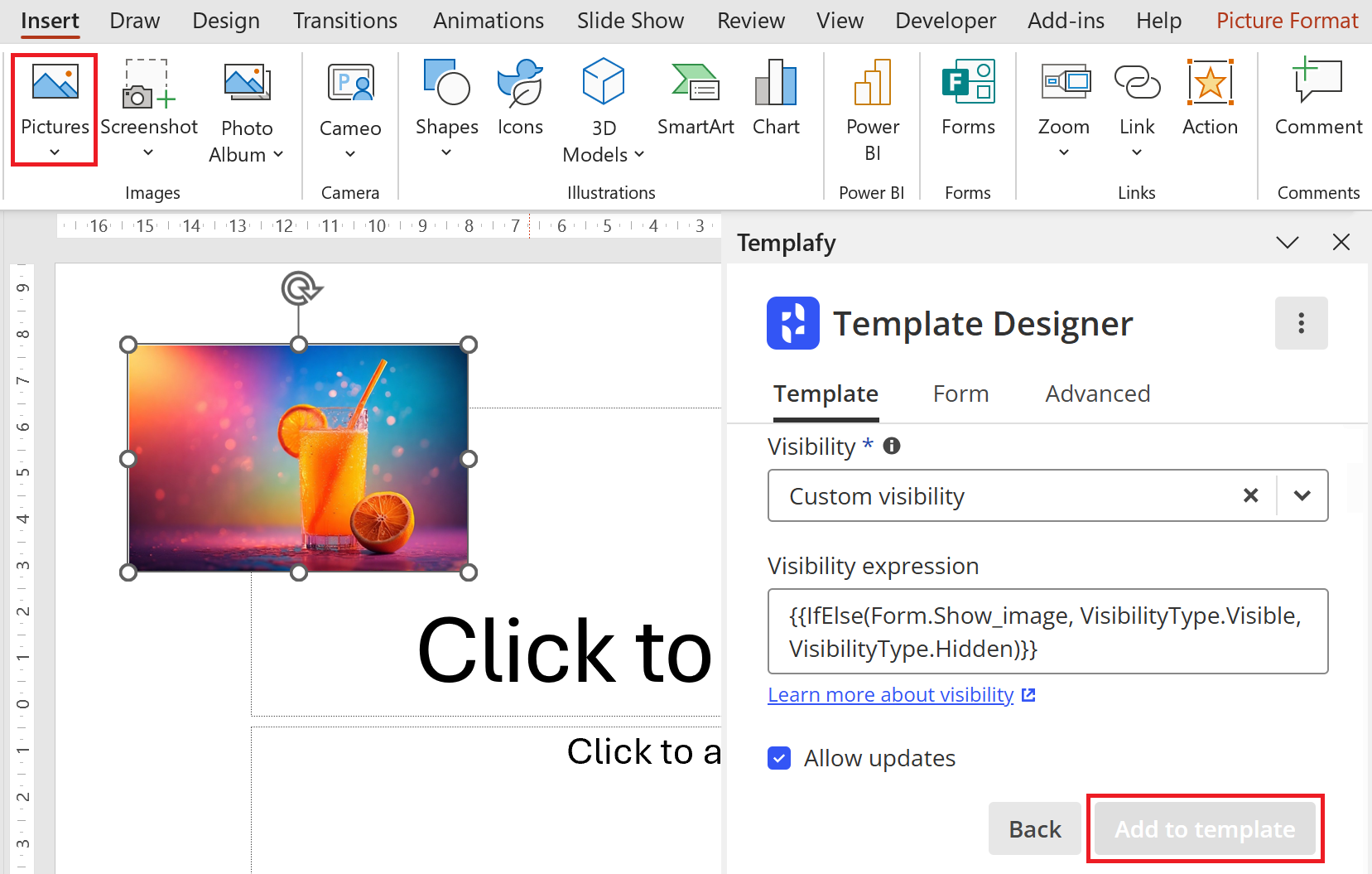
You can solve this by adding a shape, following the steps below:
You can solve this by adding a shape, following the steps below:
TipFor specific use cases a Custom image binding can be created. |
- Delete the image (if already inserted in the presentation).
- On the Insert tab select Shapes and insert a rectangle shape:
Tip
You can select any shape. For example select a circle shape if you want the image to appear in a circle.
- Right-click the shape and select Format Shape....
- In the Format Picture dialog, select Picture or texture fill. Then below Picture source click Insert... and insert your image:
- In Template Designer click Custom text binding.
- In the Display name field type a name, e.g. 'Orange Juice'.
- In the Binding field type a binding that will return an empty value, e.g.
{{HostSystem.Dummy}}.
Important
- The binding
{{HostSystem.Dummy}}is only used because it returns an empty value. In this case it is not used to retrieve any HostSystem value. - Do not type any text like "SomeDummyText", as this text will literally be shown in the image when a presentation is created.
- The binding
- In the Visibility field select Custom visibility.
- In the Visibility expression field enter a expression, e.g.
{{IfElse(Form.Show_image, VisibilityType.Visible, VisibilityType.Hidden)}}(when you have created a checkbox form field with the Reference name 'Show_image'). The result looks like this: - Click Add to template.
Note
If the Add to template button is greyed out, make sure you have selected the shape. If it remains greyed out, then reselect the shape.
- The result looks like this:
- Upload the template to the Admin Center.
- When a presentation is created and the Show image checkbox is ticked, the image (shape) is shown, else it is hidden:
Excel
Can I use Dynamics to insert a value into a cell in Excel?
No, this is not possible, but you can use Dynamics to insert a value into the header or footer of the spreadsheet.
Comments
Article is closed for comments.